
Doppler Radar Motion Sensor RCWL-0516 + Arduino © GPL3+
DESCRIPTION
Hello, and welcome to another Arduino tutorial, in this one we’re about motion detection using microwaves and doppler effect, and we’re using RCWL-0516 module.
Another popular motion sensor is the PIR HC-SR501, and as the name implies, it uses “Passive InfraRed” light waves to detect a motion, this PIR is emitted by humans or animals mostly, and anything that’s warm/hot.

Unlike the sensor above, the RCWL-0516 constantly sends microwaves around it, and they reflect back, if ANYTHING moves within the range will cause a change in the waves wavelength or the frequency “Known as Doppler effect“, and by anything I mean if it emits PIR/warm/hot or not, so it’s better at this point.

You can observe (hear) the Doppler effect while a police car is moving, you can hear a different siren sound when the car is near you and when it’s driving away…
RCWL-0516 Specifications

- Range: 5 – 9 m (16.4 – 29.5 ft)
- Detection Angle: 360° with no blind spot
- Voltage: 4-28 VDC
- Output: 3.4V for HIGH level and 0.7V for LOW level
- Output Time: 2s but can be modified
Parts
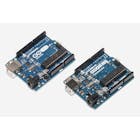
Actually the Arduino is not needed much, but I’m just doing it in case you want to add it to your project, and as you saw it’s better than the PIR sensor.
The LED is completly optional, it will just light up if there’s a trigger.


Wiring note
In the Wiring you can either wire the Ouput with a digital I/O as I did or to an analog Input, just don’t forget to modify the code and know which values the module for both LOW and HIGH levels ( approx 10 and 700, analog ADC values).
Test
The LED lights up if there’s a motion


Add-on
As you can see the module, is pretty much stand alone, so there are some modifications that you can apply directly on the circuit
- R-GN : here you can solder a 1 MOhm resistor to reduce the range from 9m to 5m only
- C-TM : here you can solder a capacitor to increase the output trigger time, 2s is the default
- CDS: here you can add a LDR (Light Dependent Resistor), and the module will be active only when there’s *no enough light* for example of outdoor lighting, you don’t want lighting in the morning or afternoon, but you want to wait until sunset or complete dark.
- R-CDS: here you can solder a resistor to control the *enough light, if you want to activate the module from the sunset or you want to wait until complete dark, the resistor value will define when it’s ok to start the automatic lighting for example, the smaller the resistor value, the brighter it has to be to deactivate the trigger


(this tutorial is made by PIR sensor dissing gang)
Hello, and welcome to another Arduino tutorial, in this one we’re about motion detection using microwaves and doppler effect, and we’re using RCWL-0516 module.
Another popular motion sensor is the PIR HC-SR501, and as the name implies, it uses “Passive InfraRed” light waves to detect a motion, this PIR is emitted by humans or animals mostly, and anything that’s warm/hot.
Unlike the sensor above, the RCWL-0516 constantly sends microwaves around it, and they reflect back, if ANYTHING moves within the range will cause a change in the waves wavelength or the frequency “Known as Doppler effect“, and by anything I mean if it emits PIR/warm/hot or not, so it’s better at this point.
You can observe (hear) the Doppler effect while a police car is moving, you can hear a different siren sound when the car is near you and when it’s driving away…
RCWL-0516 Specifications
- Range: 5 – 9 m (16.4 – 29.5 ft)
- Detection Angle: 360° with no blind spot
- Voltage: 4-28 VDC
- Output: 3.4V for HIGH level and 0.7V for LOW level
- Output Time: 2s but can be modified
Parts
Actually the Arduino is not needed much, but I’m just doing it in case you want to add it to your project, and as you saw it’s better than the PIR sensor.
The LED is completly optional, it will just light up if there’s a trigger.
Wiring note
In the Wiring you can either wire the Ouput with a digital I/O as I did or to an analog Input, just don’t forget to modify the code and know which values the module for both LOW and HIGH levels ( approx 10 and 700, analog ADC values).
Test
The LED lights up if there’s a motion
Add-on
As you can see the module, is pretty much stand alone, so there are some modifications that you can apply directly on the circuit
- R-GN : here you can solder a 1 MOhm resistor to reduce the range from 9m to 5m only
- C-TM : here you can solder a capacitor to increase the output trigger time, 2s is the default
- CDS: here you can add a LDR (Light Dependent Resistor), and the module will be active only when there’s *no enough light* for example of outdoor lighting, you don’t want lighting in the morning or afternoon, but you want to wait until sunset or complete dark.
- R-CDS: here you can solder a resistor to control the *enough light, if you want to activate the module from the sunset or you want to wait until complete dark, the resistor value will define when it’s ok to start the automatic lighting for example, the smaller the resistor value, the brighter it has to be to deactivate the trigger
(this tutorial is made by PIR sensor dissing gang)

